Jewels 2 resurrected (for PCs)
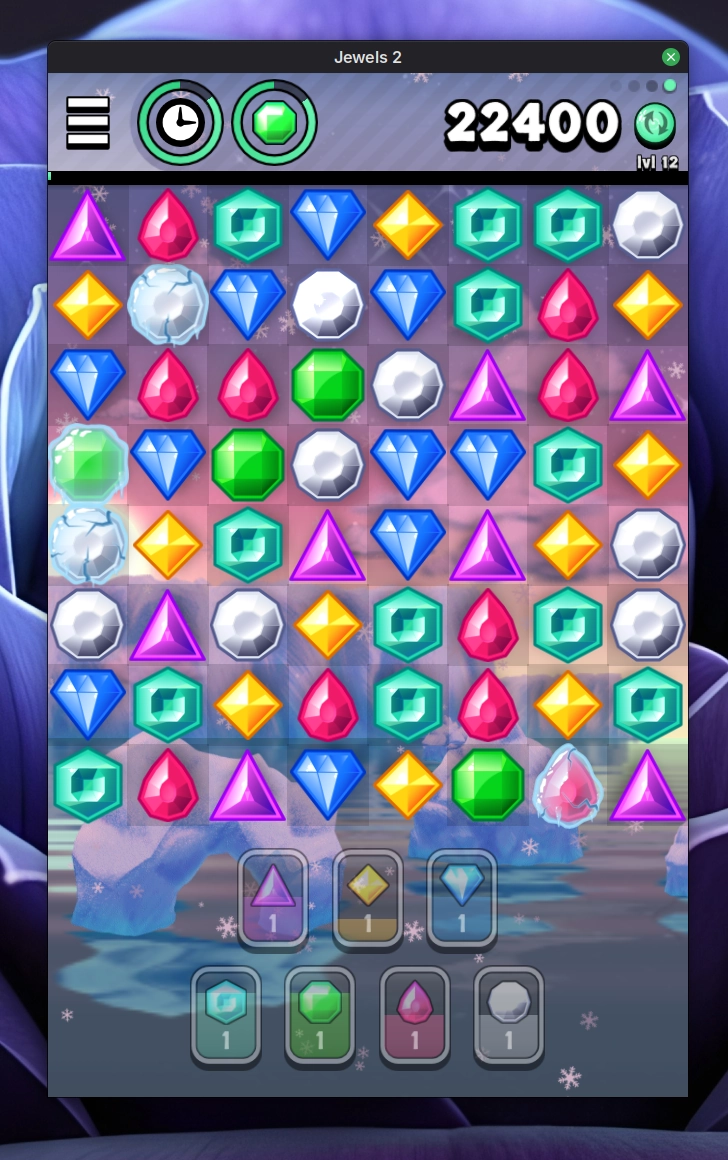 In the previous post on Oddhop "resurrection" I (sort of) promised to take a look at Jewels 2, another mobile-only game that has been absent from the app stores for years now — and thus unplayable. After I got Oddhop up and running again for PCs, I couldn't help but do the same for Jewels 2. 🙂
This one took considerably more effort! Jewels 2 uses my own custom C++ game engine and the original binaries were built for 32-bit architectures. I had used Eclipse with CDT to write and build the game. This time I went with a Makefile instead, using MSYS2 with MinGW-w64 toolchain to build. It took some fixing up to get all the code compiling for 64-bit architecture, but no major issues. After the game compiled, I was welcomed with a black screen and lots of errors about the GLSL-shaders! 😛
My GLSL-code from 2011-2012 required a bit of tweaking before being accepted by the shader compiler. Windows drivers were happy with just a #version 420 directive slapped in, but Linux/wine didn't settle so easily. I really wanted to be able to play the game on Linux, too, so I took some extra effort of upgrading the shader syntax to more a recent incarnation of GLSL. Now it works nicely through wine! 👍️
I also did some additional development and fixing up, because the original Win32-version was only for my own development usage; the main platforms were Android and iOS. Meaning I had saved some time by not implementing certain stuff for the Windows-version. Of course now I did have to implement all that was missing.. Global score lists and achievements, ads and in-app-purchase shop all got axed for this new PC-build (v1.261), but otherwise it's the same game as the latest (now dead) v1.24 on Android.
As with Oddhop, there is no support provided for this freeware Windows-version, but you are welcome to download it and try it out. It was quite nostalgic for me to hear the music again after years and years of not playing the game. Hopefully somebody else will also find this PC-build useful. But even if not, I'm still happy to have these two games of mine preserved in playable form. 🥳
-
UPDATE ON July 3rd, 2026: I first released v1.25, and later realized I could've updated some dependencies while at it. So that's what I did: updated the STB libraries (image + vorbis) to latest versions and rebuilt as v1.26. Otherwise no changes. 🙂↩
Oddhop resurrected (for PCs)
 It's been just over ten years since the Oddhop-release — and indeed the game has been unavailable in mobile app stores for almost as long, too! 🥲 Alas, the game never took on and it made no financial sense to keep it alive on the stores, but I personally have always liked it a lot. To mark the occasion I wanted to resurrect the game for archival purposes1, so I booted into Windows (hngghhh...), installed the very old Unity 5.3 and made a fresh Oddhop-build for Windows. Was pleasantly surprised to see my old Unity 5 Pro-license still worked!
The resulting build (v1.06) is identical to the last known mobile versions (v1.05), except for leaderboards and achievements that are now absent (they relied on Google Play Games and Game Center on iOS). Not a huge loss, to be honest. I've also stripped out analytics.
Naturally there is no support provided for this freeware Windows-version, but you are welcome to download it and try it out. The Windows-build seems to work fine in Linux through wine as well. Saves me the trouble of making a Linux-native build. 👍️
Now that Oddhop is playable once again, I guess I'll replay all the puzzles; it's been quite many years and I have definitely forgotten the solutions to the trickiest of them! And there were plenty of those in the later levels! 🙂
Here are some other posts about Oddhop, that might be of interest: behind the scenes of the puzzle generation and visual history from the prototype to the finished game.
-
Speaking of game archiving: no promises, but I might do the same to Jewels 2. 🤔 Of course it's going to be much more work for sure, as I had my custom C++ game engine and the original binaries were built for 32-bit architecture. But I did develop it on PC, so PC builds are naturally possible, if I can get it to compile still.↩
The Linux Experiment — One year later
Hi again! It's been a full year (+ some days as I'm writing this) since I switched (back) to Linux. I wanted to give a quick update, in case anyone is curious (more than likely not 😅).
But first: behold my current desktop configuration with some neat Conky stats running on the right. Kinda like them. Note the unusual wallpaper; most of the time I have landscapes (mountains etc.) back there! Still running Linux Mint, of course.
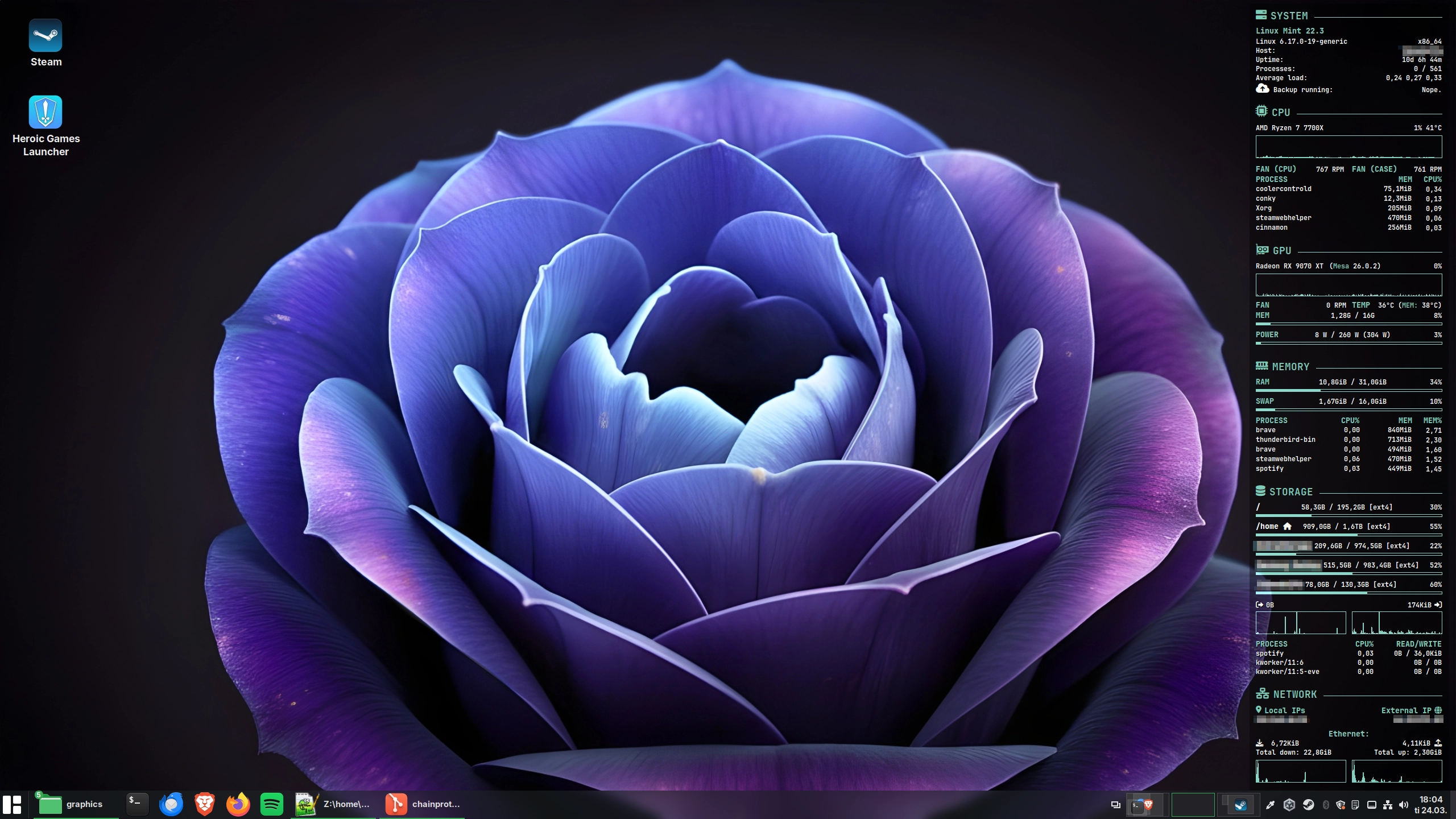
So, all sunshine and rainbows, then? Well no, not entirely. But I am still really happy I made the switch. As a side-effect I've grown to dislike Windows even more, funny how that goes. Guessing I've spent ~98% of the yearly PC usage in Linux. So yes, I do like it. 😄
"I picked a mid-tier GPU (NVIDIA RTX 4060 Ti OC 16 GB), but of course now that I have played more (games), should have picked a 4070.. Or a Radeon, rather, for Linux purposes. Maybe I'll switch some day."
As you might remember from earlier (or from the quote above), I did have an NVIDIA GPU. While I had my fair share of issues with it, NVIDIA in Linux is far from unusable, contrary to what many people claim. Nevertheless, during the Black Week sales I grabbed a Radeon RX 9070 XT, so now I'm team red all the way! 🤘 AMD has been fairly pain-free, although I did have some GPU freezes during gaming, but they are likely related to my GPU undervolting (I've been adjusting my undervolts gradually, now it seems stable — time will tell 🤔). As a nifty bonus: finally got GPU video decoding in browsers working. In order to get the 9070 XT working in Mint, I needed to install newer kernel (6.14, now running 6.17) and upgrade my Mesa drivers and amdgpu firmware. Not a big deal, but worth mentioning. On more "bleeding-edge" distros that's not required.
I also disabled Secure Boot to get fan control working (with CoolerControl), which is nice. And Windows still boots when I need to venture to the other side. (Speaking of which: as of writing this, I'll actually need to spend a few days in Windows for work purposes, as painful as it is... 😰)
What else? I've been able to do most of the work related tasks on Linux no problem, although the Unity editor is still lacking compared to its Windows counterpart. But it is what it is. 🤷♂️ For gaming: no big issues, some minor tweaking required depending on the game, but never had to boot into Windows to play games. For example I played through Cyberpunk 2077 + Phantom Liberty and had a blast. Performance was quite good on 9070 XT, although I opted to only use ray-traced reflections. With pure raster rendering I reckon I'd get the full 180 FPS of my monitor, now I capped the game to 120 Hz.
As for problems, I still get some occasional issues with system suspend/resume or USB-devices. (Plus the GPU freezes I mentioned, but they are probably caused by my GPU tunings.) One suspend issue was related to Unity running adb that somehow got stuck querying my USB-devices or something, and subsequently prevented the PC from suspending. I added a script to kill the adb-process upon suspend that seemed to fix that particular issue, but I still don't trust the suspend/resume 100%. A minor niggle in the grand scheme of things and certainly not enough to drive me back to Windows. 😛
The best part is still (no pun intended) the calmness of it all: no forced updates & reboots, no AI pushing, no dodging ads or spyware left and right. 🥳 To be honest I didn't want to give up on Notepad++ though, so I'm running it through Wine.. 😅️
* * *
TLDR: Still really happy I switched, no big grievances (that I could not solve). Some tinkering required here and there, but that's to be expected really.
5/5, would switch again! 👍️ 😄
Switching (back) to Linux

As I very subtly (😅) hinted at back in the previous post, I have indeed switched to Linux this year. This March, to be more precise. And actually back to Linux, as I did use Linux as my daily OS in the early 2000s. In fact, I remember choosing a Radeon GPU when I got a new main PC in 2012 specifically for the better AMD Linux support compared to NVIDIA. (Which is the still case today. But we'll get to that!) Ironically I ended up not installing Linux on that machine after all, and stayed (relatively) happily with Windows 7 and finally Windows 10.
Anyway, I finally got myself a much needed upgrade: a new desktop PC last year — and even though I had at that point been using Linux Mint on an old Macbook Air over a year — I didn't anticipate switching from Windows on my main rig. And thus I ended up with a NVIDIA GPU.. 😛🤦♂️ The new PC has Windows 11; surely I'll eventually start to tolerate it, right? Right..? 🥲
Not quite! Due to the ever increasing enshittification of Windows, I had been growing more and more weary of it (and Microsofts antics in general), up to the point I decided to try an experiment:
Could I switch to Linux and still keep doing my work, personal projects — maybe even gaming? 🤔 Well, only one way to find out!
The Linux Experiment
So, in March I bought a new 2TB M.2 SSD, dropped it in and installed Linux. I'm still keeping the dual-boot with Windows 11 for the time being, as a backup. (Plus I still have my Lightroom photo collection on the Windows-side, have to look for a Linux-alternative at some point. Adobe in all their kindness terminated my perpetual Photoshop CS6-license 🙄, but so far they have left LS alone... But I digress.)
Despite some issues and annoyances, for the most part my experiment has been successful and quite refreshing! No more AI bullshit (Recall, Copilot — I mean what the hell!? 🤯), spying/privacy concerns or ads. No more forced Microsoft accounts & ninja-updates resetting my OS settings/adjustments! 🎉 I can choose. What to install, when to update, etc. What an outlandish concept: I am in charge of my PC and OS, not Microsoft — the way it should be. As I said: refreshing. Liberating.
I don't use Arch, btw. 😉 I did my fair share of distro-hopping back in 2002-2009 or so, and eventually settled on Debian and Ubuntu -based distros (after trying lots of things like Red Hat / Fedora, Slackware, SUSE and even Gentoo). With recent positive experiences using Mint on various older systems, that's what I went with for the main rig too. It's been fairly stable, and Cinnamon is nice if not the most modern looking of desktops. But it's well thought out and simple. The way updates are handled is 👌 (no nagging, no forced reboots). Still rocking the 6.8 kernel, so by default Mint is not ideal for very new hardware! 6.14 HWE is now available, though.
Anyway. I probably can't be bothered to distro-hop much, but I'd still like to check out KDE at some point, seems really pleasant these days. And I used to prefer Gnome 2 over KDE 2.x and 3.x (IIRC Plasma was 4.x and it was in rather rough shape back then). 🤔
Not perfect, but experiment will carry on...
After the switch, I got my personal projects (such as the movie collection -web app and the static site generator for this website) quickly running on Linux. Godot Engine naturally works well, did the AudioSplitter and related benchmarks 100% in Linux. Funnily enough: my sitegen — a .NET-app written in C# — works way faster in Linux! Generating this site takes a couple of seconds in Windows, and about 0.15 seconds in Linux. 😂 In fact Linux seems more efficient in general and uses much less RAM than Windows does in comparable scenarios. Which is nice.
Now Unity (Engine) on the other hand, for my day job.. The editor is usable but it has annoying quirks and feature omissions (such as setting the editor UI scale), so I do prefer the Windows-version. OpenGL rendering has occasional issues and Vulkan isn't perfect either (freezes Unity occasionally after waking up from suspend; might be NVIDIA related, too). At least with Unity 2022, haven't tried anything newer. Despite the annoyances I've kept on using the inferior version just because I enjoy time spent in Linux more. In fact, I reckon I've booted into Windows less than 10 times since March, and even then only to quickly check or adjust something. 🤷♂️
In general there have been some other issues here and there, for example I cannot read my fan RPM speeds in Linux due to Secure Boot (I guess I'll disable it should I fully get rid of Windows in the future). But nothing major and/or painful enough to make me go back to Windows.
UPDATE: One issue I forgot to mention; NVIDIA driver often prevents the PC from going to sleep (suspend), especially if I have Steam or Unity open. Annoying and hopefully gets fixed at some point. 😐
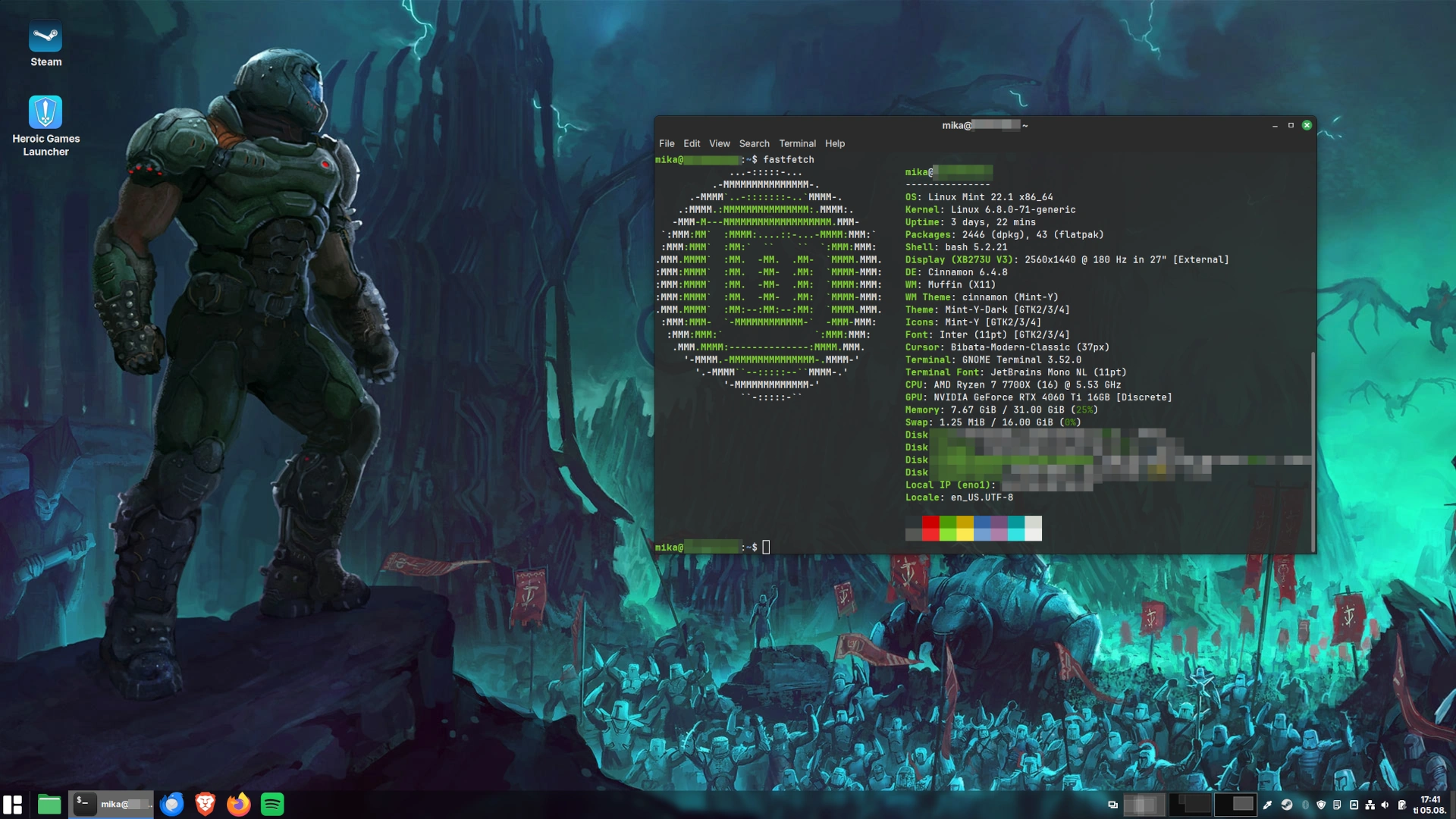
fastfetch-output! 😄 (Why yes, I have been playing DOOM lately, does it show..?)What about gaming?
Now I haven't really been gaming on PC in a long while (as evident by the now-mercifully-retired 2012 desktop 😅), but did get back into it last year with the new PC. As one does, in my experience. I picked a mid-tier GPU (NVIDIA RTX 4060 Ti OC 16 GB), but of course now that I have played more, should have picked a 4070.. Or a Radeon, rather, for Linux purposes. Maybe I'll switch some day.
One of the most interesting aspects of this "Linux experiment" has been testing gaming. These days — with Proton, DXVK, VKD3D and friends — the Linux gaming landscape is a bit different than what it was when I last used the OS. 🙂 I find it fascinating, that one can play Windows-only games on Linux with native-like performance (or sometimes even better, on AMD-based hardware!) with the D3D → Vulkan translation going on. Of course, not everything works and NVIDIA drivers take a big performance hit (15-30%, can be even bigger in DX12-games) compared to Windows, but still impressive. Who remembers the days of Tux Racer and only handful of other playable Linux 3D games? I do. Anti-cheat is another topic (although I'd say it's more of a developer/publisher issue than Linux-issue), but doesn't matter to me personally as I don't play any of those games.
Even with the infamous NVIDIA Linux-driver performance hit, I've been happily playing games, such as Kingdom Come: Deliverance, The Witcher 3, Dead Island 2, DOOM (2016) & Eternal. All but one of them worked great. Only Witcher 3 gave me some trouble with the ray-tracing DX12 perf. being especially bad (granted, I have 4060 Ti...) and freezing frequently. DX11 works much better. The new DOOM games use Vulkan and especially DOOM 2016 ran like a dream w/ settings maxed: rock solid 180 FPS (max on my monitor)! 🔥 Thus I enjoyed the game a whole lot more than I did first playing on PS4 back in 2017. 👍️ Shout-out to ProtonDB, a useful site for checking out Linux-compatibility on lots of games.
* * *
So, that's the current situation. I've spent 98% of my time in Linux since March, and even with some occasional issues, I don't expect to switch back to Windows any time soon. Perhaps if some must-have game I buy doesn't work at all, or some work-related emergency requires it, I'll have to boot into Windows, but so far it's not been the case.
I have casteth away the shackles of Windows once more and it feels good! ⛓️💪😬
If you have an older PC with Windows 10 fast approaching its end-of-life (and don't especially fancy updating to telemetry-ridden Windows 11), I do recommend checking out Linux as an alternative.
Anybody else fed up with Windows-bullshit, AI or otherwise? Tell me in the comments! Feel free to scold me on my questionable GPU choice, too! 😄 And — as always — thank you for reading this far!
Using Godot Engine for app development
 For last few years I've been following the Godot Engine development with great interest — especially after the infamous Unity Runtime Fee -fiasco (🤦♂️). About a year ago I started evaluating the Godot Engine, first by reading the documentation and then by making a simple game. Just to get a feel for the engine. I also began prototyping a game that might be worth pursuing further (been occasionally working on it for short stints), but that remains to be seen.. 🤔 Nonetheless I've documented my first Godot impressions (Gist): feel free to take a look, if interested.
In any case, an opportunity presented itself to do further development with Godot on my day job. But instead of a game, I made a tool application! 🛠️ In this post I wanted to share my perspective on using Godot as an app framework. (With some performance benchmarks thrown in for good measure!)
Some background: at work we occasionally need to split long audio recordings of various items (words, usually, sometimes longer spoken parts) into separate files, with some processing performed and the output files properly named. All of this automated as much as possible. We had an old custom Python 2.x app for that; it did the job, but was somewhat cumbersome to use: very slow and flickery in rendering the audio waveform, zooming, making selections etc. Especially with huge audio files. I maintained and improved the app over the years, but didn't touch on the core issues (that would've required a rewrite anyway).
Which is exactly what I ended up doing! 😅 With Godot Engine 4.4 adding runtime WAV-loading I thought it'd be a perfect opportunity to try the Godot UI tooling and also do a better version of the audio splitting app for work. Two birds with one stone, as they say.
Enter the (aptly-named, if I may say so myself 😄)...
AudioSplitter

I started building the tool with GDScript to allow for rapid prototyping — hot-reloading script changes is a huge time-saver. First up was AudioView, the custom UI component (or Node, in Godot-terminology) responsible for rendering the audio waveform in efficient manner. With smaller audio files this was fine, but pretty soon I hit a performance ceiling with GDScript. The actual rendering of the lines was not the problem, but "down-sampling" (i.e. for each vertical line computing the relevant range in audio samples1 and finding the min-max values) the audio data for rendering was just too slow to be usable. Now I knew beforehand that GDScript is not the most performant language for raw number crunching like this, but it was still interesting to try. And as I said, for rapid prototyping and less number-crunchy stuff it's very nice!
What to do, then? With frame times of hundreds of milliseconds a smooth user experience would be impossible, even when only rendering as needed! 🤔 What's neat with Godot is that you can mix and match languages. I took my AudioView and ported it to C# AudioViewCS. This resulted in a huge speed increase, even better than what I had anticipated! 🔥 Impressed with speed-up I wrote a quick benchmarking rig to properly measure them, just for fun. See my benchmark2 results below:
| AudioView | Audio length | Render time avg. (ms) | Total (ms) | Difference |
|---|---|---|---|---|
| GDScript | ~5 min | 139.87 | 34 687.61 | 1x |
| C# | ~5 min | 1.73 | 427.91 | 81x |
| GDScript | ~36 min | 292.13 | 72 449.30 | 1x |
| C# | ~36 min | 4.26 | 1055.51 | 69x |
| AudioView | Audio length | Render time avg. (ms) | Total (ms) | Difference |
|---|---|---|---|---|
| GDScript | ~5 min | 278.14 | 69 676.25 | 1x |
| C# | ~5 min | 3.07 | 762.03 | 91x |
| GDScript | ~36 min | 440.07 | 110 215.92 | 1x |
| C# | ~36 min | 5.85 | 1450.11 | 75x |
NOTE: Audio view was fully zoomed out with 5 min clip, and only partially on 36 min clip. This explains how in the larger file the performance difference is smaller. Should've rendered the full waveform in hindsight, but hey, a quick benchmark is quick! 😛
 Pretty impressive gains, in my opinion! 👍️ Naturally, the bigger the audio view width, the larger the speed difference. Now that the C#-version runs so much better, the GDScript-variant is useless? Nope, I kept it around for a while after that whilst I was improving the rendering, adding the timeline markers etc. Hot-reload FTW, baby! 😬💪 (It is gone in the final product, though.)
And no: I didn't convert any other parts of the app to C#, because I do like GDScript (with as much of static typing as possible!), and it worked fine and fast enough for the audio analysis, other UI code etc. GitLab reports 78.7% of GDScript code, and 18.8% of C#. Rest is shell scripts.
Just wanted to mention: this benchmark isn't meant to diss GDScript at all, but instead highlight the possibility of using other tools for the job (like C#, or even C++). It is great indeed that you can replace individual components with different tech if performance problems emerge! 🙂
* * *
 With the big performance issue nicely solved, I had quite a lot of fun implementing the rest of the interface using Godot UI nodes. Overlaid on top of the main
 AudioViewCS-node I have another custom node, that implements the selections manipulation & allows manually slicing the audio. Both of them share one scroll-bar. And that's it for custom components, the rest is built-in nodes. Rendering the custom components (inheriting Control) was enjoyable, just override _draw() and draw away!
After spending some time with them I do prefer Godots UI nodes over Unity UI components (disclaimer: I mean UGUI, I have not used the newer UI Elements). Layout nodes are very flexible in Godot and there are lots of useful nodes (spin boxes, text fields / editors were needed in this app) that have no counterpart in Unity UGUI. Not surprising, of course, as Godot editor itself uses the same UI components. For the most part I used the default theme with some tweaking, and also made a semi-shitty icon for the app.
There was one more thing I wanted to try. When AudioSplitter was fully working, I wanted to improve the UX by doing the audio loading, analysis and normalization in a separate background worker thread, to avoid freezing the app during those operations. Godot Engine threading support was a breeze to use: I got my worker thread up and running in no time at all. It uses the basic job queue -pattern: main thread constructs a Job-object with relevant data + a callback, posts it to the worker thread, which then picks it up, processes the job and posts back the results using the given callback. GDScript Callables were useful here.
All in all I was very impressed by how well Godot is suited for application development (despite being, you know, a game engine). Can't stress enough how useful the hot-reloading of scripts and syncing object properties is when building a UI! ✨
Nothing is perfect, though, and I did have some minor niggles: a peculiar bug with text fields + some editor crashes when updating my UI sub-scenes and switching back to main scene, while the app was running. Also the size of an exported .NET build is rather large: to combat that, I wrote a post-build script that removes most of the .NET DLLs and libraries that my sole C#-node doesn't need. Was able to save ~45 MB doing that. More space savings could be achieved by compiling the engine and leaving out unneeded stuff, but I didn't bother with that for an internal tool. Positives far outweigh the negatives and I'm definitely using Godot again for my future tool app needs! And likely games, too.
And that's that, for now. If you made it this far: thanks for reading, and feel free to comment! 🙂
-
For example: 30 minutes of mono PCM audio at 44.1 kHz sample rate has ~79 million samples.↩
-
Benchmarked on Ryzen 7 7700X PC in Linux build, with warm-up period. Rendered 250 frames of audio waveform (fully zoomed out with 5 min clip, partially on 36 min clip), discarded 1% slowest frame times.
(Hmm, Linux, you say? Do I sense another blog-post looming in the horizon..? 👀)↩
 Follow @mhgames.org
 Follow @mhgames_